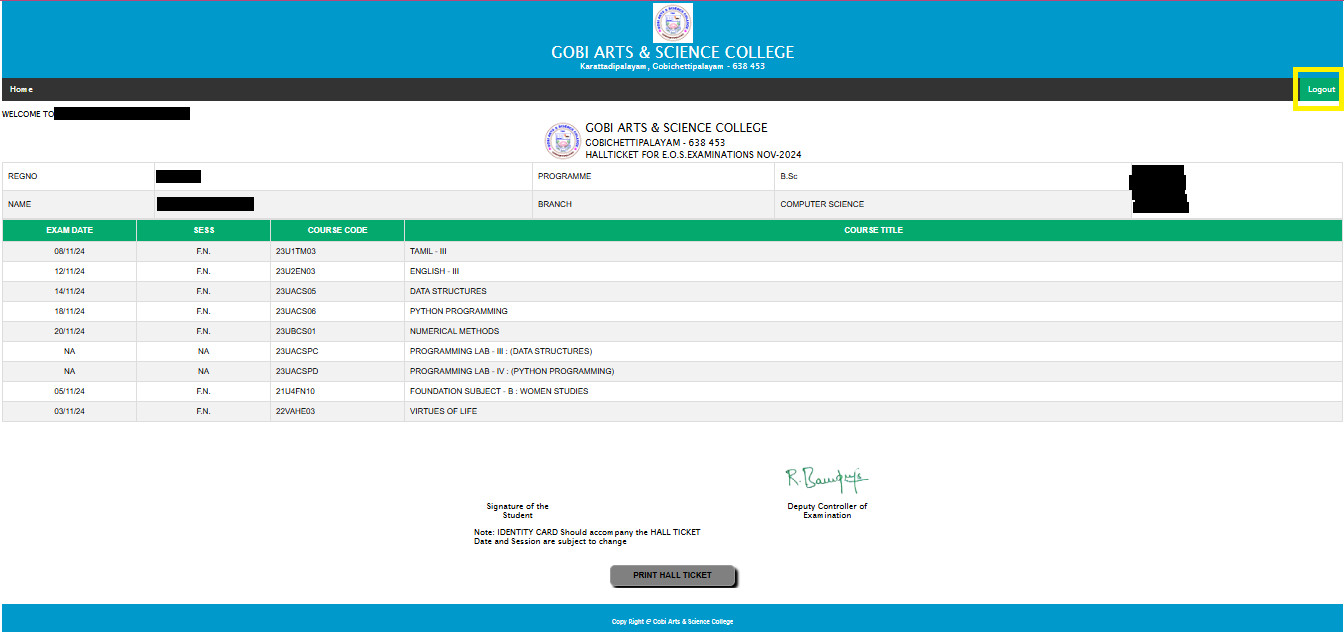
Regular students must bring their ID card and a printout of their Hall Ticket when appearing for the examinations.
Regular Students must download their Hall Ticket and verify that all the information is correct, if there is any mistake, you are asked to approach Controller of Examinations and clarify your doubts.
Students who are unable to download their Hall Ticket are asked to contact the College Office.
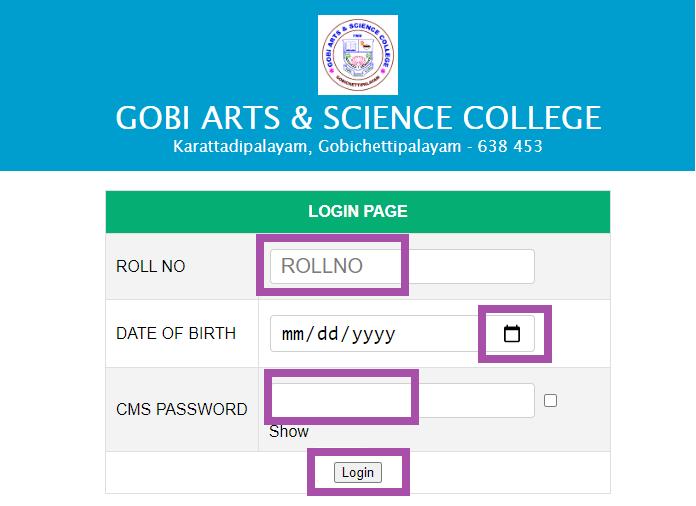
Regular students use CMS password for download Hall Ticket.
Private candidates (whose photos are displayed in the hall ticket) should take a printout of the Hall ticket & come with it for writing the examinations.
Private candidates whose photo is NOT available in the Hall ticket have already been issued manual Hall tickets. They should come with those Hall tickets with their photos duly attested.
Private candidates should use “gasc” as the CMS password to download the Hall Ticket.
Type your Register Number without using space or hypen (Ex:26XX025), CMS Password given by class co-ordinator and Date of Birth then click Login Button.
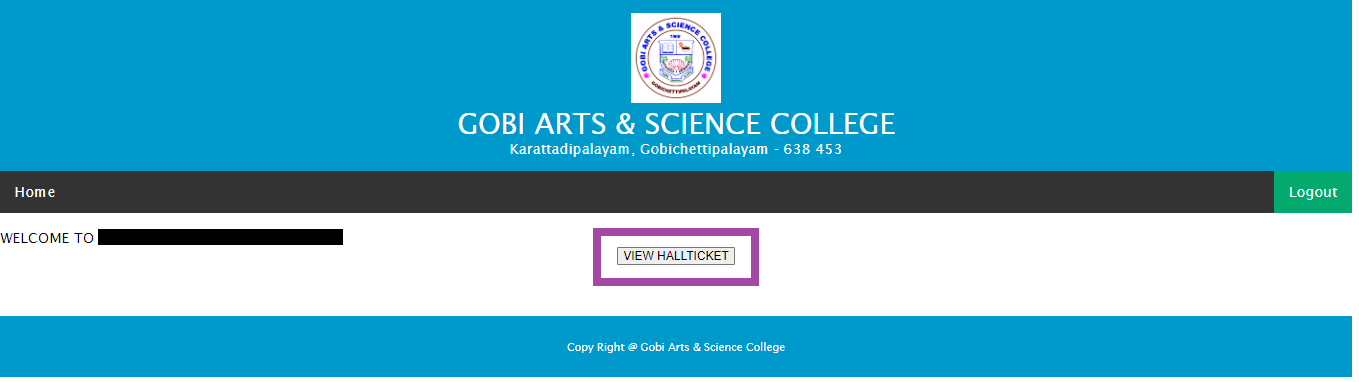
Click View Hall Ticket Button.
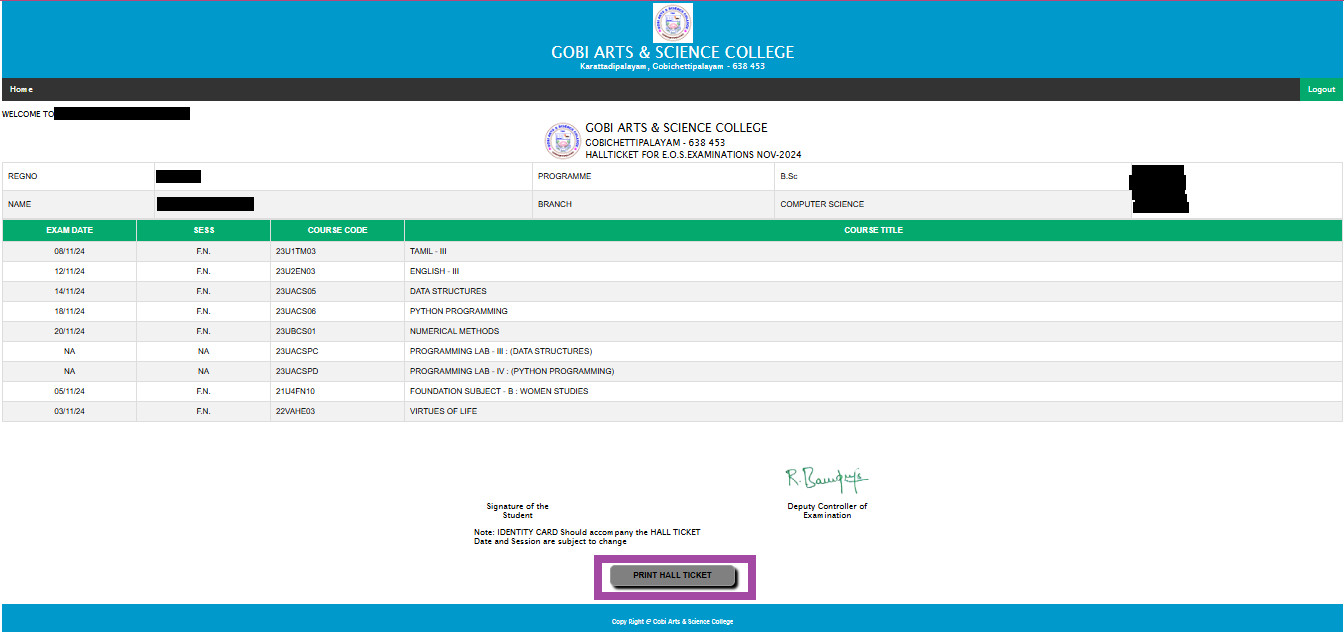
Verify the details (Register Number, Name, Class & Subjects) displayed in the Hall Ticket and then click Print Hall Ticket Button.
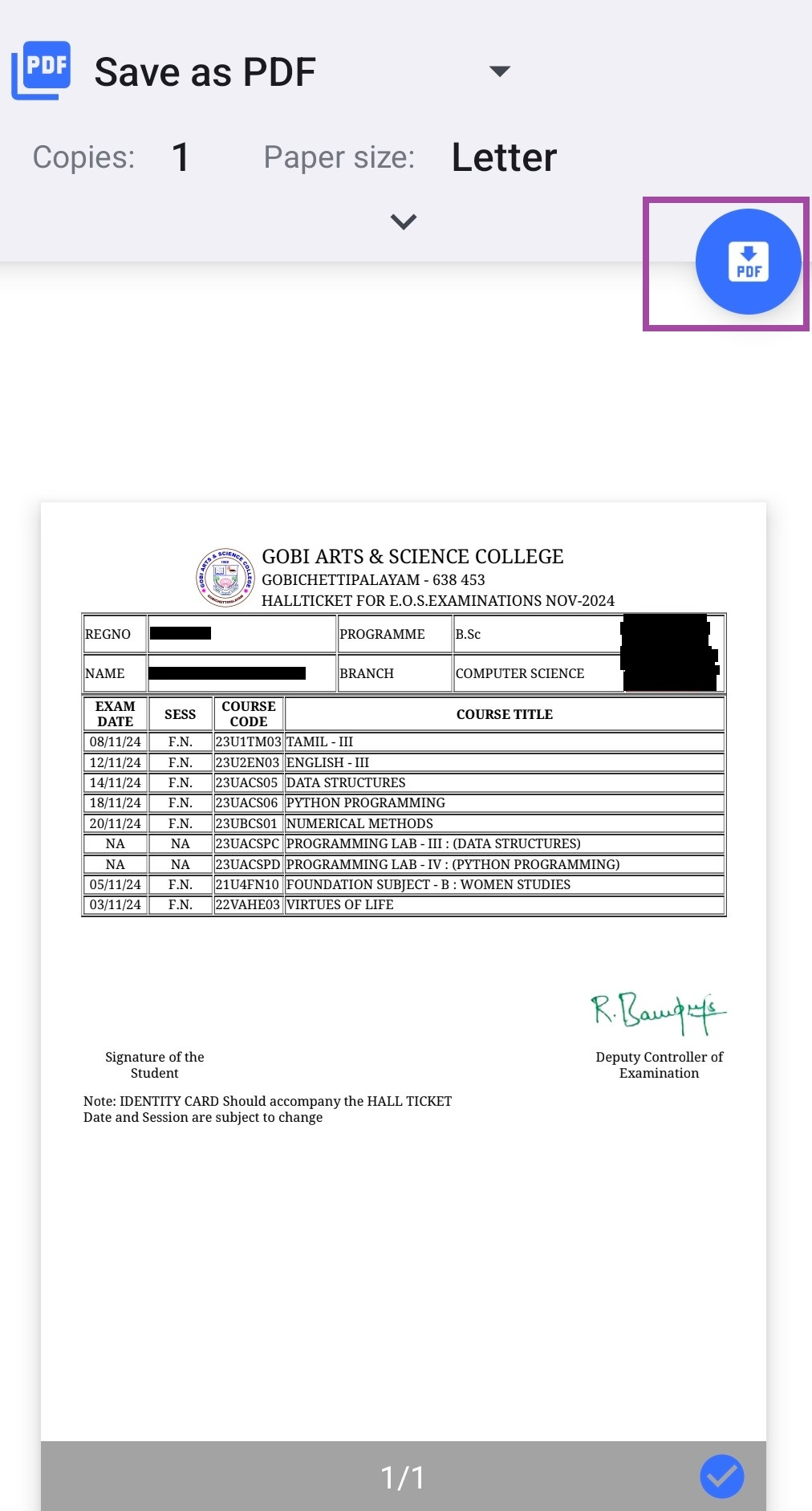
Download your Hall Ticket and take a printout.
After download the Hall Ticket click on Logout Button.
The Hall Ticket download link will be open on 21.10.2026 at 11.00 AM.
Doubts and clarification (if any) can be obtained from the concerned class coordinators.
Electronic Gadgets are strictly not allowed inside the Examination Hall.